React
Dynamic Tic Tac Toe
Build a dynamic Tic Tac Toe game in React with customizable grid sizes, win detection algorithms, player turn management, and game reset functionality. Great for interviews.
React · JavaScript — Pratik Rai ·
Create an interactive image carousel in React with smooth slide transitions, navigation arrows, dot indicators, autoplay, and touch/swipe support for mobile devices.
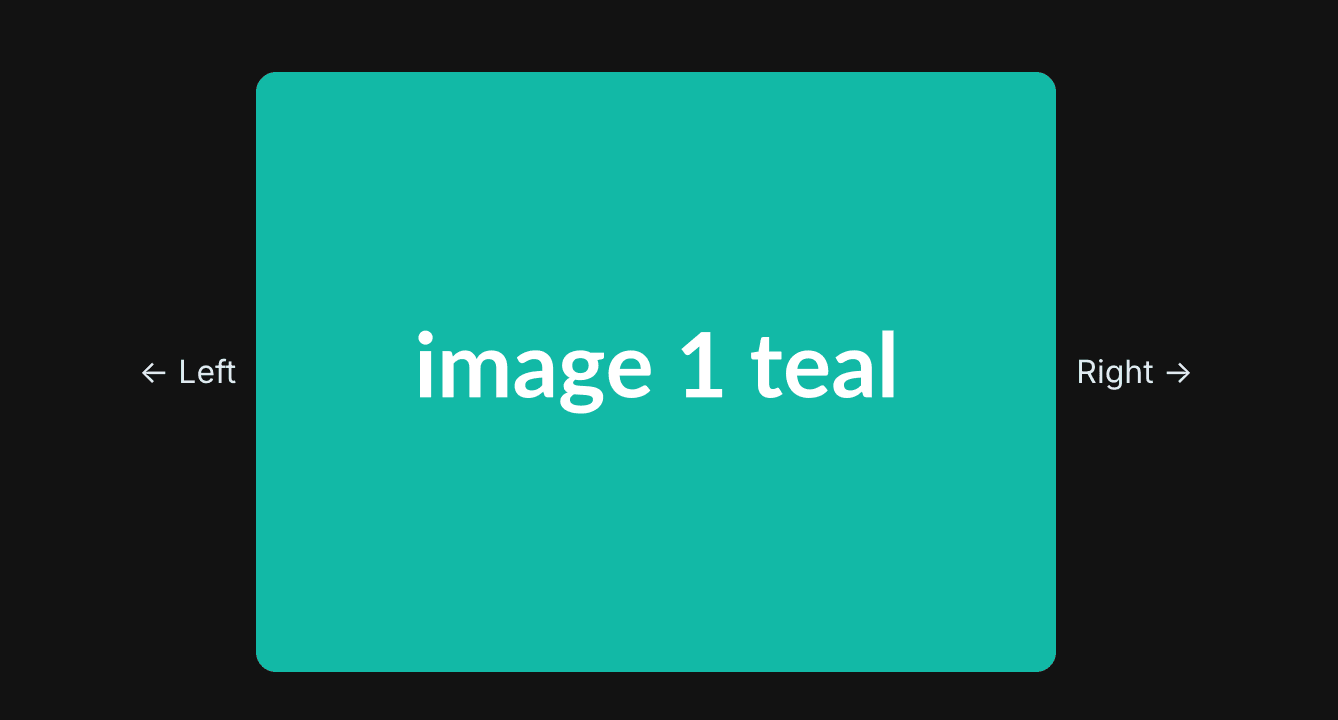
Build an image carousel that displays one image at a time with smooth navigation, infinite looping, and optimal performance. The key challenges are implementing circular navigation logic and using CSS transforms to prevent layout thrashing.
Goal: implement a carousel for a fixed-size image collection.
Technology: HTML, CSS and JavaScript, or React.
Requirements
Stretch goals
overflow: hidden, and shift the row with a single transform.if statements. Advancing is (index + 1) % total; going back is (index - 1 + total) % total, where the + total is what stops a negative index.transform, not left. Transform is composited and does not force the browser to recalculate layout on every frame.The carousel uses a viewport + track pattern:
┌─────────────────────────────────────┐
│  [← Prev]  ┌──────────┐  [Next →]   │
│            │ Viewport │             │
│            │ (400px)  │             │
│            └──────────┘             |
│                 │                   |
│            ┌────▼─────────────────┐ │
│            │ Track (flex container) |
│            │ [Img1][Img2][Img3]...  |
│            └──────────────────────┘ |
└─────────────────────────────────────┘
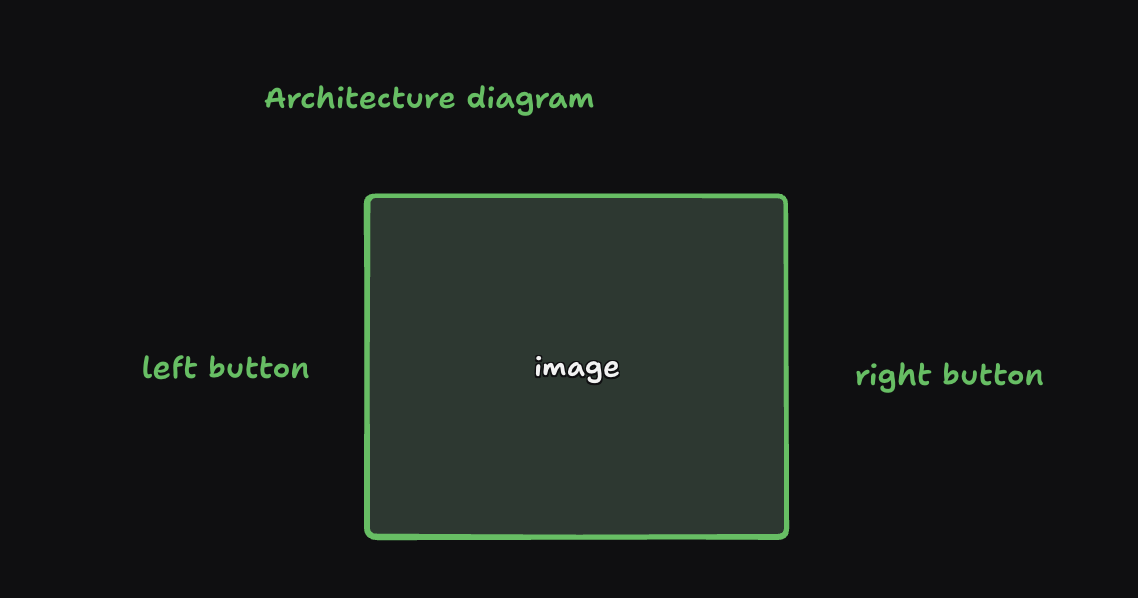
overflow: hidden that shows only one imageThe implementation follows a controlled component pattern:
TSXcomponent.tsx1// Parent component manages state
2const [currentIndex, setCurrentIndex] = useState(0);
3
4// Child component receives props
5<ImageCarouselComponent
6    images={imageUrls}
7    onPrev={handlePrevClick}
8    onNext={handleNextClick}
9    currentIndex={currentIndex}
10/>
This separation allows:
currentIndex changes trigger updatesThe infinite loop is achieved using the modulo operator (%). This creates a circular index that wraps around at the boundaries.
TSXcomponent.tsx1function handleNextClick() {
2    setCurrentIndex((prevIndex) => (prevIndex + 1) % total);
3}
How it works:
prevIndex + 1: Move to next index% total: Wrap around when reaching the endExamples with 5 images (indices 0-4):
(0 + 1) % 5 = 1(1 + 1) % 5 = 2(2 + 1) % 5 = 3(3 + 1) % 5 = 4(4 + 1) % 5 = 0 (wraps to first)TSXcomponent.tsx1function handlePrevClick() { 2 setCurrentIndex((prevIndex) => (prevIndex - 1 + total) % total); 3}
Why (prevIndex - 1 + total)?
prevIndex - 1: Move to previous index+ total: Add total to handle negative values% total: Wrap aroundExamples with 5 images:
(0 - 1 + 5) % 5 = 4 (wraps to last)(1 - 1 + 5) % 5 = 0(2 - 1 + 5) % 5 = 1(3 - 1 + 5) % 5 = 2(4 - 1 + 5) % 5 = 3Why not just (prevIndex - 1) % total?
In JavaScript, -1 % 5 equals -1, not 4. Adding total first ensures we get a positive number before applying modulo:
(-1 + 5) % 5 = 4 % 5 = 4 ✓The carousel uses CSS transform: translateX() to slide images. This is crucial for performance.
TSXcomponent.tsx1transform: `translateX(-${(currentIndex * 100) / images.length}%)`
Breaking it down:
100 / images.length% of the track widthi, we need to shift the track left by i image widthscurrentIndex * (100 / images.length) = percentage to shiftExample with 5 images:
100 / 5 = 20% of tracktranslateX(-0%) → shows first imagetranslateX(-20%) → shows second imagetranslateX(-40%) → shows third imagetranslateX(-60%) → shows fourth imagetranslateX(-80%) → shows fifth imageGeneral formula:
translateX(-(currentIndex × 100) / images.length %)
Track width:
TSXcomponent.tsx1width: `${images.length * 100}%`
500% of viewport width100% of viewport (which is 20% of track)Individual image width:
TSXcomponent.tsx1width: `${100 / images.length}%`
100 / 5 = 20% of track widthVisual representation (5 images):
Viewport (400px):
┌────────────────────┐
│                    │
└────────────────────┘
         │
         ▼
Track (2000px = 500%):
┌────┬────┬────┬────┬────┐
│Img1│Img2│Img3│Img4│Img5│  Each: 400px (20% of 2000px)
└────┴────┴────┴────┴────┘
     │
     └─ translateX(-20%) shows Img2
Why transform?
transform and opacity are GPU-accelerated propertiesleft, top, or marginWhat happens with position changes:
CSSstyles.css1/* BAD: Triggers reflow */
2.track {
3    left: -400px;  /* Browser recalculates layout */
4}
What happens with transform:
CSSstyles.css1/* GOOD: Only triggers repaint */
2.track {
3    transform: translateX(-400px);  /* Browser only updates visual */
4}
All images are rendered in the DOM simultaneously:
TSXcomponent.tsx1{images.map((image, index) => (
2    <img key={index} src={image} />
3))}
Benefits:
Trade-off:
CSSstyles.css1.track {
2    transition: transform 0.5s ease-in-out;
3}
This provides smooth animation when currentIndex changes. The browser automatically animates the transform property between values.
TSXcomponent.tsx1<div className="viewport">
CSS:
CSSstyles.css1.viewport {
2    width: 400px;        /* Fixed width */
3    overflow: hidden;    /* Hides images outside viewport */
4}
The viewport acts as a "window" that shows only one image at a time.
TSXcomponent.tsx1<div className="track" style={{ transform: `translateX(...)` }}>
CSS:
CSSstyles.css1.track {
2    display: flex;        /* Images side-by-side */
3    transition: transform 0.5s ease-in-out;  /* Smooth animation */
4}
The track holds all images and slides horizontally based on currentIndex.
TSXcomponent.tsx1{images.map((image, index) => (
2    <img
3        key={index}
4        src={image}
5        style={{
6            width: `${100 / images.length}%`,
7            height: '300px',
8            objectFit: 'contain'
9        }}
10    />
11))}
Each image:
100 / images.length% of track widthobjectFit: contain to maintain aspect ratioTo prevent loading all images at once, use native lazy loading:
TSXcomponent.tsx1<img
2    src={image}
3    loading={index === currentIndex ||
4             index === currentIndex + 1 ||
5             index === currentIndex - 1 ? "eager" : "lazy"}
6/>
This loads:
Set explicit dimensions to prevent Cumulative Layout Shift (CLS):
TSXcomponent.tsx1<img
2    src={image}
3    width={400}
4    height={300}
5    style={{ aspectRatio: '4/3' }}
6/>
(index + 1) % total for next and (index - 1 + total) % total for previoustranslateX(-(currentIndex × 100) / images.length %)images.length × 100% to fit all images100 / images.length% so images fit side-by-sidetransform instead of position changes to avoid reflowThe carousel is efficient, smooth, and works with any number of images because it's based on mathematical relationships rather than hardcoded values.
Most of the marks are in the boundaries rather than the happy path.
-1 and a blank screen. It is the first thing many interviewers click.div with a click handler cannot be reached by keyboard and has no accessible name. This is a quick way to demonstrate that you build for more than a mouse.Finishing a simple version cleanly reads better than leaving an ambitious one half-built. Get one image moving in both directions, then reach for indicators, autoplay and lazy loading with whatever time is left.
Goal: Implement a image carousel component that can be used to display a list of images.
Continue learning with these related challenges
Build a dynamic Tic Tac Toe game in React with customizable grid sizes, win detection algorithms, player turn management, and game reset functionality. Great for interviews.
React · JavaScript — Pratik Rai ·
Create an animated dice roller component in React with realistic rolling animations, random number generation, multiple dice support, and roll history tracking.
React · JavaScript — Pratik Rai ·
Build a fun Whack-a-Mole game in React with random mole spawning, click detection, score tracking, countdown timer, and increasing difficulty levels. Perfect for React practice.
React · JavaScript — Pratik Rai ·
Build a dynamic Tic Tac Toe game in React with customizable grid sizes, win detection algorithms, player turn management, and game reset functionality. Great for interviews.
React · JavaScript
Pratik Rai ·
Create an animated dice roller component in React with realistic rolling animations, random number generation, multiple dice support, and roll history tracking.
React · JavaScript
Pratik Rai ·
Build a fun Whack-a-Mole game in React with random mole spawning, click detection, score tracking, countdown timer, and increasing difficulty levels. Perfect for React practice.
React · JavaScript
Pratik Rai ·