React
Memory Game
Create a card-matching memory game in React with flip animations, pair detection logic, move counter, timer, and win condition handling. A classic frontend coding challenge.
React · JavaScript — Pratik Rai ·
Build a fun Whack-a-Mole game in React with random mole spawning, click detection, score tracking, countdown timer, and increasing difficulty levels. Perfect for React practice.
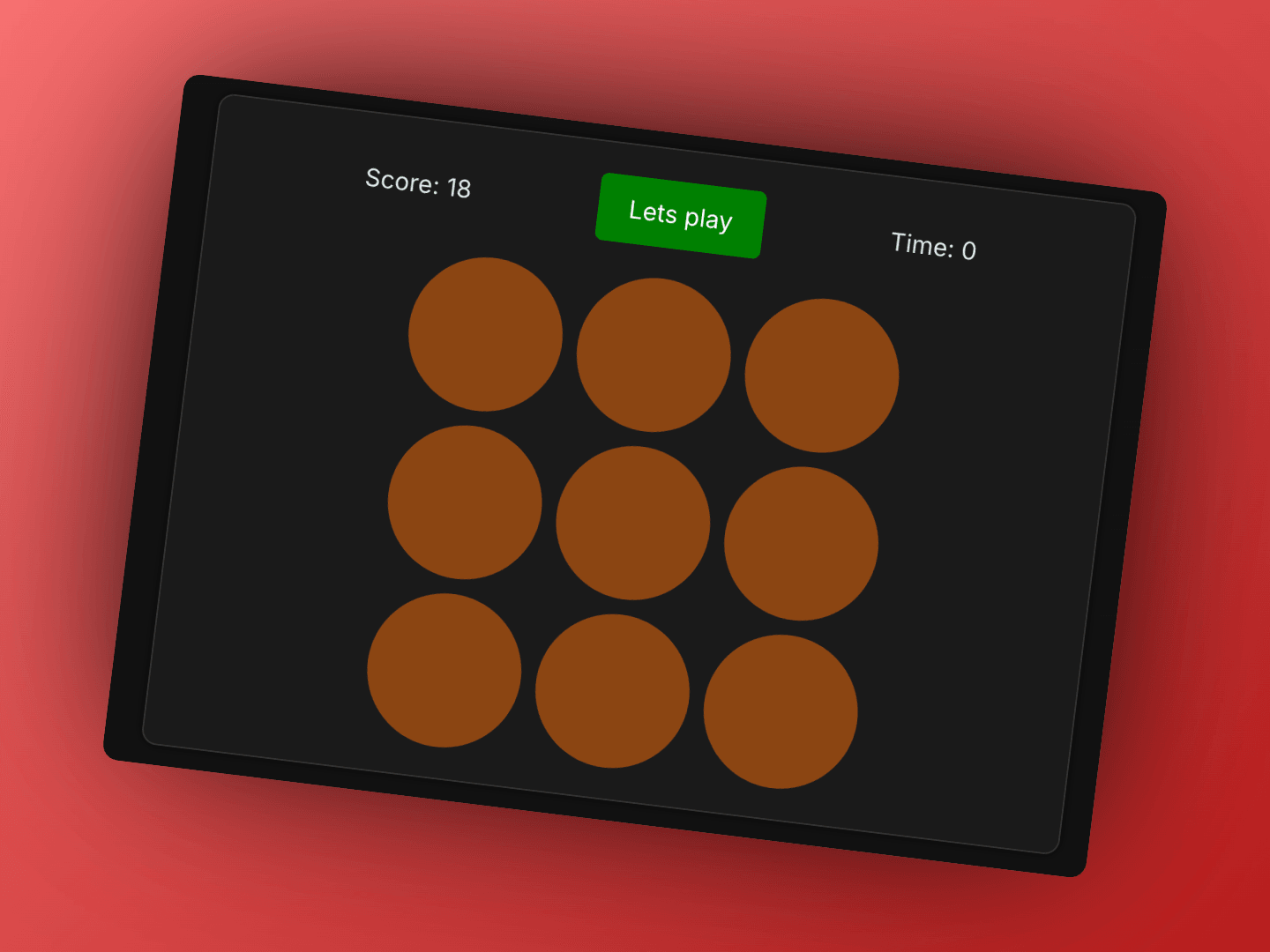
Build a whack-a-mole game where moles randomly appear in holes and players must click them to score points. The key challenges are managing random mole appearances, timing mechanics, score tracking, and preventing double-click exploits. This game demonstrates effective use of setTimeout and React refs for game state management.
A whack-a-mole game displays a 3×3 grid of 9 holes. Moles randomly appear from these holes for 1.5 seconds, and players must click them before they disappear to score points. The game runs for 15 seconds, and players try to whack as many moles as possible.
The most critical part is implementing a recursive spawning system where moles appear one at a time, and when a mole disappears (either by timeout or being whacked), a new mole immediately spawns.
The game uses constants for easy configuration:
TSXcomponent.tsx1const TOTAL_TIME = 15;        // Game duration in seconds
2const MOLE_LIFETIME = 1500;   // How long mole stays visible (1.5 seconds)
3const GRID_SIZE = 9;          // Total number of holes (3×3 grid)
The implementation follows a recursive spawning pattern:
Manages game state and recursive mole spawning:
TSXcomponent.tsx1const WhackAMole = () => {
2    const [activeIndex, setActiveIndex] = useState<number | null>(null);
3    const [score, setScore] = useState(0);
4    const [timeLeft, setTimeLeft] = useState(TOTAL_TIME);
5    const [isPlaying, setIsPlaying] = useState(false);
6
7    const moleTimeoutRef = useRef<number | null>(null);
8    const gameTimerRef = useRef<number | null>(null);
9    const moleHitRef = useRef<boolean>(false);
10};
State Management:
activeIndex: The current hole index with an active mole (null if no mole)score: Points accumulated by whacking molestimeLeft: Remaining game time in secondsisPlaying: Whether the game is currently activeRefs:
moleTimeoutRef: Stores the timeout ID for auto-hiding the molegameTimerRef: Stores the interval ID for the game countdownmoleHitRef: Prevents double-clicking the same moleRenders the 3×3 grid and displays moles:
TSXcomponent.tsx1const WhackAMoleComponent = ({
2    onWhack,
3    activeIndex
4}: {
5    onWhack: (index: number) => void;
6    activeIndex: number | null;
7}) => {
8    return (
9        <div className="whack-a-mole">
10            <div className="grid">
11                {Array.from({ length: 9 }).map((_, index) => (
12                    <div
13                        key={index}
14                        className="hole"
15                        onClick={() => onWhack(index)}
16                    >
17                        {activeIndex === index && "🐹"}
18                    </div>
19                ))}
20            </div>
21        </div>
22    );
23};
Responsibilities:
activeIndex matches the hole indexThe game uses a recursive spawning function instead of intervals:
TSXcomponent.tsx1const spawnMole = () => {
2    moleHitRef.current = false;  // Reset hit flag for new mole
3    const index = getRandomIndex();
4    setActiveIndex(index);
5
6    moleTimeoutRef.current = window.setTimeout(() => {
7        setActiveIndex(null);
8
9        if (isPlaying) {
10            spawnMole();  // Recursively spawn next mole
11        }
12    }, MOLE_LIFETIME);
13};
How it works:
moleHitRef flag so the new mole can be whackedMOLE_LIFETIME (1.5 seconds)spawnMole() againAdvantages of recursive spawning:
TSXcomponent.tsx1const getRandomIndex = () => Math.floor(Math.random() * GRID_SIZE);
This generates a random integer from 0 to 8, corresponding to one of the 9 holes.
The game prevents double-click exploits using a ref:
TSXcomponent.tsx1const handleWhack = (index: number) => {
2    if (!isPlaying || index !== activeIndex) return;
3    if (moleHitRef.current) return;  // Already whacked this mole
4
5    moleHitRef.current = true;  // Mark as whacked
6
7    setScore(prev => prev + 1);
8
9    // Clear the auto-hide timeout
10    if (moleTimeoutRef.current) {
11        clearTimeout(moleTimeoutRef.current);
12    }
13
14    setActiveIndex(null);
15    spawnMole();  // Immediately spawn next mole
16};
Double-click prevention:
moleHitRef.current - if true, mole already whacked, ignore clickmoleHitRef.current = true immediately to prevent subsequent clicksWhy this works:
moleHitRef is a ref, so it updates synchronouslymoleHitRef.current === true and returns earlyspawnMole()The game timer runs independently from mole spawning:
TSXcomponent.tsx1gameTimerRef.current = window.setInterval(() => {
2    setTimeLeft(prev => {
3        if (prev <= 1) {
4            stopGame();
5            return 0;
6        }
7        return prev - 1;
8    });
9}, 1000);
Features:
TSXcomponent.tsx1const startGame = () => {
2    stopGame();  // Clean up any existing timers
3
4    setScore(0);
5    setTimeLeft(TOTAL_TIME);
6    setIsPlaying(true);
7
8    spawnMole();  // Start the mole spawning chain
9
10    gameTimerRef.current = window.setInterval(() => {
11        setTimeLeft(prev => {
12            if (prev <= 1) {
13                stopGame();
14                return 0;
15            }
16            return prev - 1;
17        });
18    }, 1000);
19};
Flow:
TSXcomponent.tsx1const stopGame = () => {
2    if (moleTimeoutRef.current) clearTimeout(moleTimeoutRef.current);
3    if (gameTimerRef.current) clearInterval(gameTimerRef.current);
4
5    setActiveIndex(null);
6    setIsPlaying(false);
7};
Cleanup:
Always clean up timers when component unmounts:
TSXcomponent.tsx1useEffect(() => {
2    return () => {
3        if (moleTimeoutRef.current) clearTimeout(moleTimeoutRef.current);
4        if (gameTimerRef.current) clearInterval(gameTimerRef.current);
5    };
6}, []);
This prevents memory leaks and ensures timers don't continue running after the component is removed.
The game uses CSS Grid for the 3×3 layout:
CSSstyles.css1.grid {
2    display: grid;
3    grid-template-columns: repeat(3, 1fr);
4    gap: 10px;
5}
6
7.hole {
8    width: 100px;
9    height: 100px;
10    aspect-ratio: 1;
11    background-color: #8b4513;
12    border-radius: 50%;
13    cursor: pointer;
14    display: flex;
15    align-items: center;
16    justify-content: center;
17}
Features:
repeat(3, 1fr))CSSstyles.css1.whack-a-mole-container { 2 display: flex; 3 flex-direction: column; 4 align-items: center; 5 justify-content: center; 6 gap: 20px; 7 padding: 20px; 8 background-color: #1a1a1a; 9 border-radius: 10px; 10 max-width: 600px; 11 margin: 0 auto; 12}
The beauty of this implementation is its simplicity. The recursive spawning pattern creates a smooth, continuous flow of moles without gaps. The ref-based double-click prevention is elegant and effective. The separation of concerns (spawning vs. timing) makes the code maintainable and easy to understand.
Goal: Implement a whack-a-mole game component with scoring and timing mechanics.
Continue learning with these related challenges
Create a card-matching memory game in React with flip animations, pair detection logic, move counter, timer, and win condition handling. A classic frontend coding challenge.
React · JavaScript — Pratik Rai ·
Build the classic Simon Says memory game in React with color sequence generation, player input validation, sound effects, increasing difficulty, and high score tracking.
React · JavaScript — Pratik Rai ·
Create an interactive image carousel in React with smooth slide transitions, navigation arrows, dot indicators, autoplay, and touch/swipe support for mobile devices.
React · JavaScript — Pratik Rai ·
Create a card-matching memory game in React with flip animations, pair detection logic, move counter, timer, and win condition handling. A classic frontend coding challenge.
React · JavaScript
Pratik Rai ·
Build the classic Simon Says memory game in React with color sequence generation, player input validation, sound effects, increasing difficulty, and high score tracking.
React · JavaScript
Pratik Rai ·
Create an interactive image carousel in React with smooth slide transitions, navigation arrows, dot indicators, autoplay, and touch/swipe support for mobile devices.
React · JavaScript
Pratik Rai ·