React
Whack A Mole
Build a fun Whack-a-Mole game in React with random mole spawning, click detection, score tracking, countdown timer, and increasing difficulty levels. Perfect for React practice.
React · JavaScript — Pratik Rai ·
Create a card-matching memory game in React with flip animations, pair detection logic, move counter, timer, and win condition handling. A classic frontend coding challenge.
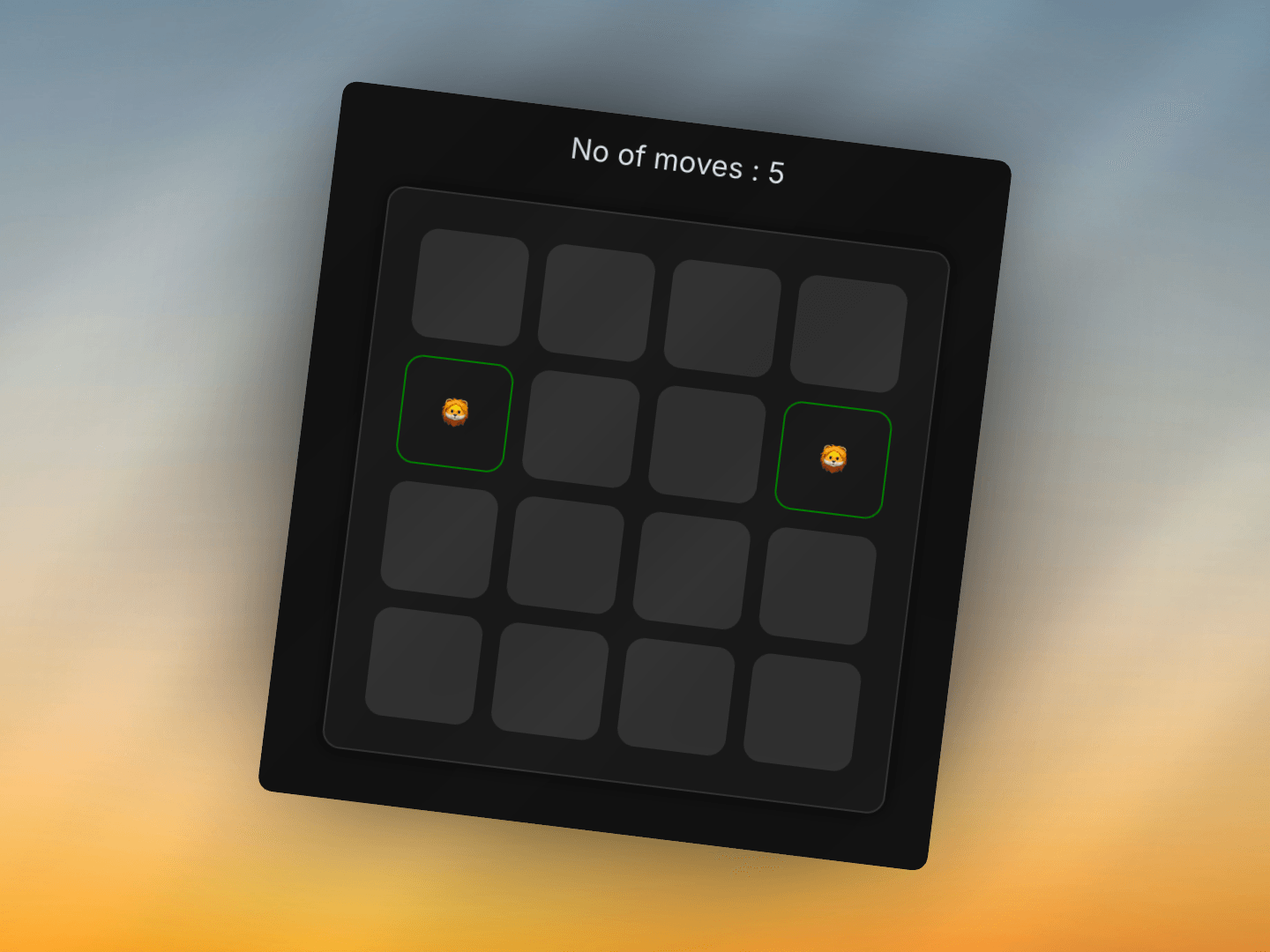
Build a memory game where players flip cards to find matching pairs. The key challenges are managing card state (flipped, matched), preventing multiple card selections, handling match logic, and tracking game progress. This classic game is a great way to practice React state management and event handling.
A memory game displays a 4×4 grid of 16 cards (8 pairs of emojis). Players click cards to flip them, trying to find matching pairs. When two cards are flipped, they're compared. If they match, they stay visible. If not, they flip back after a short delay. The game tracks moves and ends when all pairs are matched.
The game starts with a pool of emoji options and creates pairs:
TSXcomponent.tsx1const emojis = [
2    '🐵', '🐶', '🦊', '🐱', '🦁', '🐯', '🐴', '🦄',
3    '🦓', '🦌', '🐮', '🐷', '🐭', '🐹', '🐻',
4    '🐨', '🐼', '🐽', '🐸', '🐰', '🐙',
5];
6
7const getShuffledCards = () => {
8    const selected = emojis.slice(0, 8);  // Select first 8 emojis
9    const pairs = [...selected, ...selected];  // Create pairs (16 cards)
10
11    return pairs.map((item, index) => ({
12        id: index,
13        value: item,
14        isFlipped: false,
15        isMatched: false
16    })).sort(() => Math.random() - 0.5);  // Shuffle randomly
17};
How it works:
id: Unique identifier (0-15)value: The emoji characterisFlipped: Whether card is currently face-upisMatched: Whether card has been matched with its pairMath.random() - 0.5 to randomize orderShuffling explanation:
sort(() => Math.random() - 0.5) returns random positive/negative valuesThe implementation uses a parent-child component pattern:
Manages game state and logic:
TSXcomponent.tsx1const MemoryGame = () => {
2    const [cards, setCards] = useState(getShuffledCards());
3    const [selectedIndex, setSelectedIndex] = useState<any>([]);
4    const [lockBoard, setLockBoard] = useState(false);
5    const [moves, setMoves] = useState(0);
6    const [gameOver, setGameOver] = useState(false);
7};
State Management:
cards: Array of 16 card objects with their current stateselectedIndex: Array tracking currently selected card indices (max 2)lockBoard: Boolean preventing clicks during flip-back animationmoves: Counter for number of card pair attemptsgameOver: Boolean indicating if all pairs are matchedRenders the card grid and handles clicks:
TSXcomponent.tsx1const MemoryGameComponent = ({ onCardClick, cards }) => {
2    return (
3        <div className="memory-game">
4            <div className="cards">
5                {cards.map((card, index) => (
6                    <div
7                        className={`card ${card.isMatched ? "matched" : card.isFlipped ? "flipped" : ""}`}
8                        key={card.id}
9                        onClick={() => onCardClick(index)}
10                    >
11                        {card.isFlipped || card.isMatched ? card.value : ""}
12                    </div>
13                ))}
14            </div>
15        </div>
16    );
17};
Responsibilities:
The core logic handles card flips and match checking:
TSXcomponent.tsx1const handleCardClick = (id: number) => {
2    if (lockBoard) return;  // Prevent clicks during animation
3
4    const card = cards[id];
5
6    if (card.isFlipped || card.isMatched) return;  // Ignore already flipped/matched cards
7
8    // Flip the card
9    const newCards = [...cards];
10    newCards[id] = { ...card, isFlipped: true };
11    setCards(newCards);
12
13    // Add to selected cards
14    const newSelected = [...selectedIndex, id];
15    setSelectedIndex(newSelected);
16
17    // If 2 cards selected, check for match
18    if (newSelected.length === 2) {
19        setMoves(prev => prev + 1);
20        checkMatch(newSelected, newCards);
21    }
22};
Flow:
isFlipped to trueselectedIndex arrayWhen two cards are selected, the game checks if they match:
TSXcomponent.tsx1const checkMatch = (selectedIndexes: any, updatedCard: any[]) => {
2    const [first, second] = selectedIndexes;
3
4    // If it's a match
5    if (updatedCard[first].value === updatedCard[second].value) {
6        const matchedCards = [...updatedCard];
7
8        matchedCards[first].isMatched = true;
9        matchedCards[second].isMatched = true;
10
11        setCards(matchedCards);
12        setSelectedIndex([]);
13        checkGameOver(matchedCards);
14    }
15    // If not a match
16    else {
17        setLockBoard(true);  // Lock board during flip-back
18
19        setTimeout(() => {
20            const resetCards = [...cards];  // Use current state
21
22            resetCards[first].isFlipped = false;
23            resetCards[second].isFlipped = false;
24
25            setSelectedIndex([]);
26            setCards(resetCards);
27            setLockBoard(false);
28        }, 800);  // 800ms delay before flipping back
29    }
30};
Match Found:
isMatched: trueNo Match:
isFlipped: false)Important Note: The resetCards uses [...cards] (current state), not updatedCard, because state updates are asynchronous. This ensures we're working with the latest state.
The game ends when all cards are matched:
TSXcomponent.tsx1const checkGameOver = (cardList: any[]) => {
2    const allMatched = cardList.every(card => card.isMatched);
3
4    if (allMatched) {
5        setGameOver(true);
6    }
7};
How it works:
every() checks if all cards have isMatched === truegameOver to trigger "Play Again" buttonThe lockBoard state prevents clicks during the flip-back animation:
TSXcomponent.tsx1if (lockBoard) return; // In handleCardClick
Why it's needed:
The card styling uses a priority system:
TSXcomponent.tsx1className={`card ${card.isMatched ? "matched" : card.isFlipped ? "flipped" : ""}`}
Priority order:
isMatched === true, apply "matched" class (green border)isFlipped === true, apply "flipped" class (gray background)Visual states:
Cards show their emoji value conditionally:
TSXcomponent.tsx1{card.isFlipped || card.isMatched ? card.value : ""}
Display rules:
isFlipped becomes false)Players can restart the game:
TSXcomponent.tsx1const resetGame = () => {
2    setCards(getShuffledCards());  // New random shuffle
3    setSelectedIndex([]);
4    setMoves(0);
5    setGameOver(false);
6    setLockBoard(false);
7};
Reset actions:
The game uses CSS Grid for the 4×4 card layout:
CSSstyles.css1.cards {
2    display: grid;
3    grid-template-columns: repeat(4, 1fr);
4    gap: 10px;
5}
Features:
CSSstyles.css1.card {
2    width: 60px;
3    height: 60px;
4    background-color: #333;
5    border-radius: 10px;
6    display: flex;
7    align-items: center;
8    justify-content: center;
9}
10
11.card.flipped {
12    background-color: #666;
13}
14
15.card.matched {
16    background-color: transparent;
17    border: 1px solid green;
18}
Visual feedback:
isFlipped and isMatched separately for different behaviorslockBoard to prevent clicks during animationssetTimeout to show mismatched cards before flippingThe beauty of this implementation is its clear separation of concerns. The card state (isFlipped, isMatched) drives both the visual appearance and the game logic. The board locking mechanism ensures a smooth user experience during animations. The move counter provides feedback on player performance, making the game more engaging.
Goal: Implement a memory game component with card matching and scoring mechanics.
Continue learning with these related challenges
Build a fun Whack-a-Mole game in React with random mole spawning, click detection, score tracking, countdown timer, and increasing difficulty levels. Perfect for React practice.
React · JavaScript — Pratik Rai ·
Build the classic Simon Says memory game in React with color sequence generation, player input validation, sound effects, increasing difficulty, and high score tracking.
React · JavaScript — Pratik Rai ·
Create an interactive image carousel in React with smooth slide transitions, navigation arrows, dot indicators, autoplay, and touch/swipe support for mobile devices.
React · JavaScript — Pratik Rai ·
Build a fun Whack-a-Mole game in React with random mole spawning, click detection, score tracking, countdown timer, and increasing difficulty levels. Perfect for React practice.
React · JavaScript
Pratik Rai ·
Build the classic Simon Says memory game in React with color sequence generation, player input validation, sound effects, increasing difficulty, and high score tracking.
React · JavaScript
Pratik Rai ·
Create an interactive image carousel in React with smooth slide transitions, navigation arrows, dot indicators, autoplay, and touch/swipe support for mobile devices.
React · JavaScript
Pratik Rai ·